
4.3User groups
A user group defines the privileges for one or more folder which a user receives when he is added to this group. Only users with administration privileges or user administration privileges have access to the user group administration.
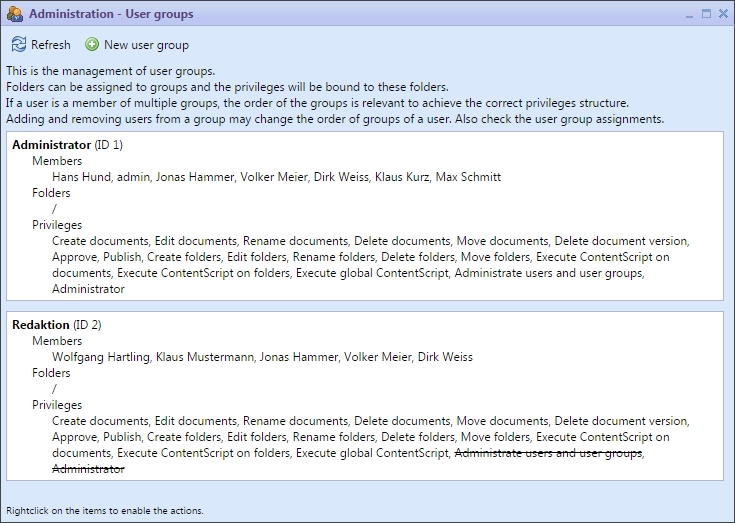
Administration of user groups
Possible actions for the user groups are:
 | New user group | In the taskbar | |
 | Edit user group | In the context menu | |
 | Delete user group | In the context menu |
Actions of the user administration
A group contains a clear name, a list of users, a list of folders and the selection of privileges.
With a double click on a group it can be edited.
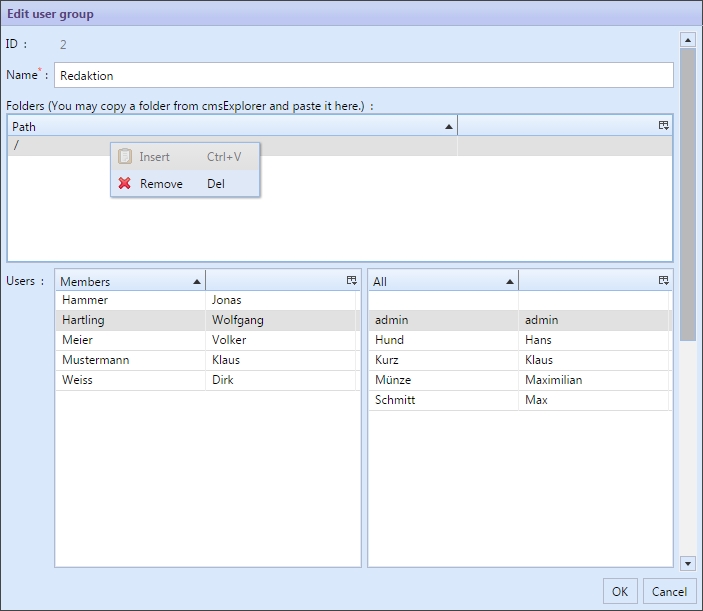
A user group administrates privileges to folders. The users get this privileges through the assignment to this group.
To add a folder to the list of folders select and copy the folder from cmsWorks explorer. In the group editing dialog using the context menu or the shortcut Ctrl+V the copied folder is added.
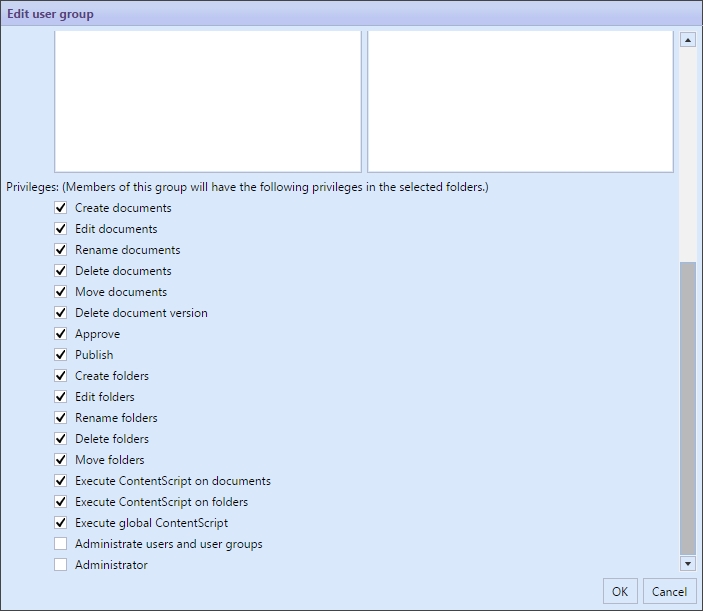
The activated privileges are valid for the folder of the user group and their subfolder.
All changes that are made in the user groups have an effect to the users in the changed user groups immediately. Granting privileges or withdrawing them effects even users that are currently logged in.
Deleting a user group has the same effect as withdrawing folders or privileges in a user group. User groups don`t have a direct connection to documents, therefore they can be created, changed and deleted more easily than users.