
4.2User administration
The cmsWorks desktop can only be used by people having a user account that allows them to log in to the system. The user administration window organizes the user accounts of the system. Only users having administration privileges or user administration privileges have access to the user administration.
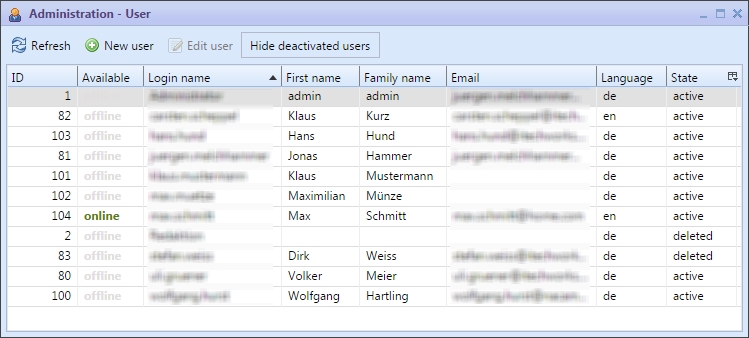
Administration from the user of the editors desktop
The possible actions in the user administration are the following:
 | New user | ||
 | Edit user data | ||
| Hide deactivated users | Showing or hiding the deactivated user |
Actions in the user administration
After a user created or changed documents the ID of the user account is connected with this document, so basically it is not possible to delete a user account (thus would result in documents having an "unknown user" flag). Nevertheless, it is possible to deactivate user accounts, that is why a filter to only show the active user accounts is accessible.
If a user account is deactivated the user cannot login to the system anymore.
As further safety option it is possible to activate a login-quota. This quota ensures that the user account gets locked automatically after a defined number of failed login attempts. If this quota is exceeded the administrator (as well as the user) will be informed by mail and only the administrator can reactivate the user's account.
For creating or editing an user the following dialog appears:
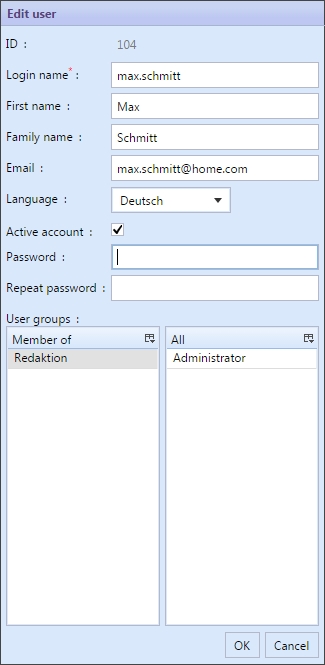
Dialog to edit a user account
Changing the email address or the name does not require to enter the users password. Only if a new user account is created a password needs to be set initially.
The bottom of the dialog shows which user groups there are and to which of these groups the user is attached. A double click on the group sets or removes this assignment.
With the assignment to user groups sometimes the order of the group assignments is to be considered. Therefore the context menu on the user groups respectively the short cuts Ctrl+Up or Ctrl+Down can be used.