
1.2Change password
Every user needs a login for the cmsWorks editors desktop. The administrator initially creates this very user account and sets a password for your first login.
For security reasons the first thing you should do is to change the password after the first login, this can be done using the main menu:
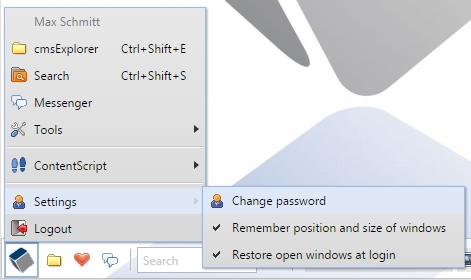
Main menu -> Settings -> Change password
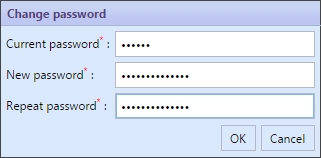
Put in the current password and a new one. Repeat the new password to avoid typing errors.
In case you lost your password, your administrator can set a new one. After that you should change it again, like you did the first time.