
3.4Research windows
Beside the Workbook there are further tools that help to find and gather information about the contents stored in the CMS.
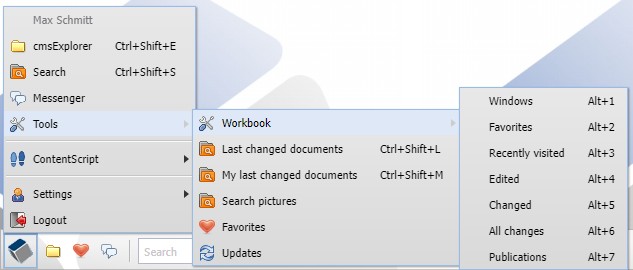
Tools in the cmsWorks main menu
Last changed documents
This tool can be opened by pressing the shortcut Ctrl+Shift+L.
This window shows a document list with the last changed documents from all CMS users.
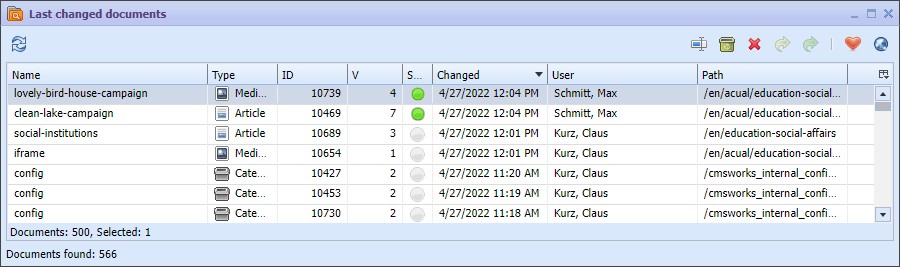
Last changed documents as own window with more options of interaction as in the workbook
This function is also contained in the Workbook but there are small differences. This document list simply shows more documents than the Workbook. The document list supports the Drag & Drop function, allows the multiple selection and it is updated automatically.
My last changed documents
This tool can be opened by pressing the shortcut Ctrl+Shift+M.
This window shows a document list with the last changed documents from this user.
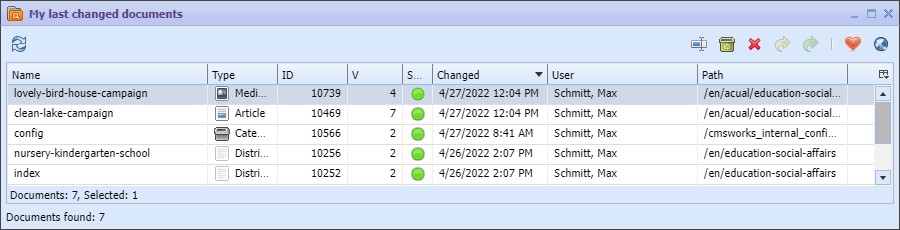
My last changed documents as own window with more options of interaction than in the workbook
This function is also contained in the Workbook and has the same differences as described above.
Favorites
Opens a window with the saved Favorites from the user. Folders and documents can be marked as Favorites in the cmsExplorer and almost in all other document lists. This is saved in the user settings and also remains unchanged even when you login on the cmsWorks desktop the next time.
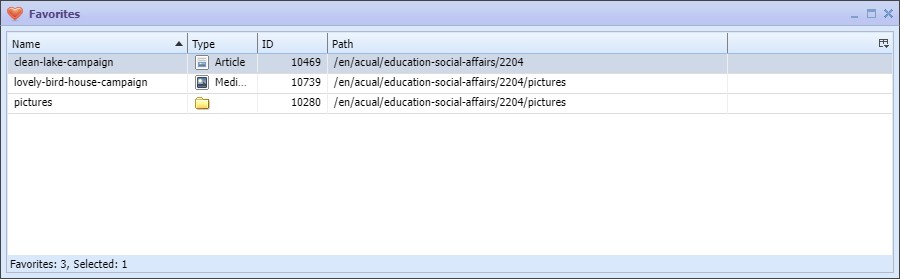
Favorites in the own window
For a quick access to the favorites tool a button
 can also be found in the taskbar on the cmsWorks desktop.